Pasture cards
Per-shed counts, health, and warnings — click a barn for that unit only.
Dashboard section
Animals live under Pastures on V5 (the old Livestock URL still opens this page). Shed-level cards, food-duration hints, birth warnings, and drill-down by housing unit — plus dairy extras when Dairy Core is on the save.
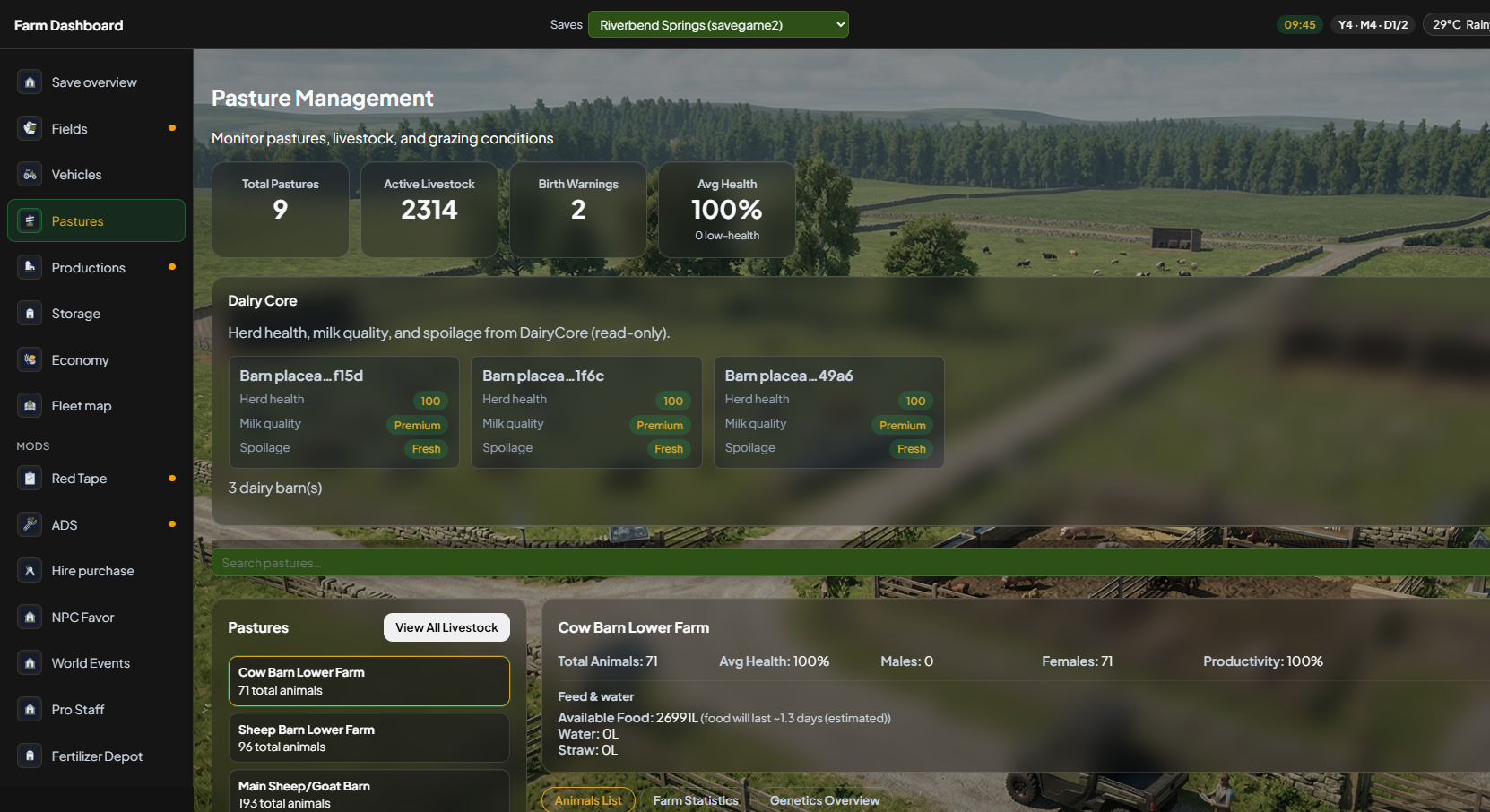
Base-game cow pens with breed and health, filters, and richer detail with mods like Ritter's Livestock still apply. V5 puts the herd in the sidebar instead of a separate Livestock home card.
Per-shed counts, health, and warnings — click a barn for that unit only.
Hints for how long feed lasts so you refill before the herd drops.
Summary badges so you do not miss calving while you are on a harvest contract.
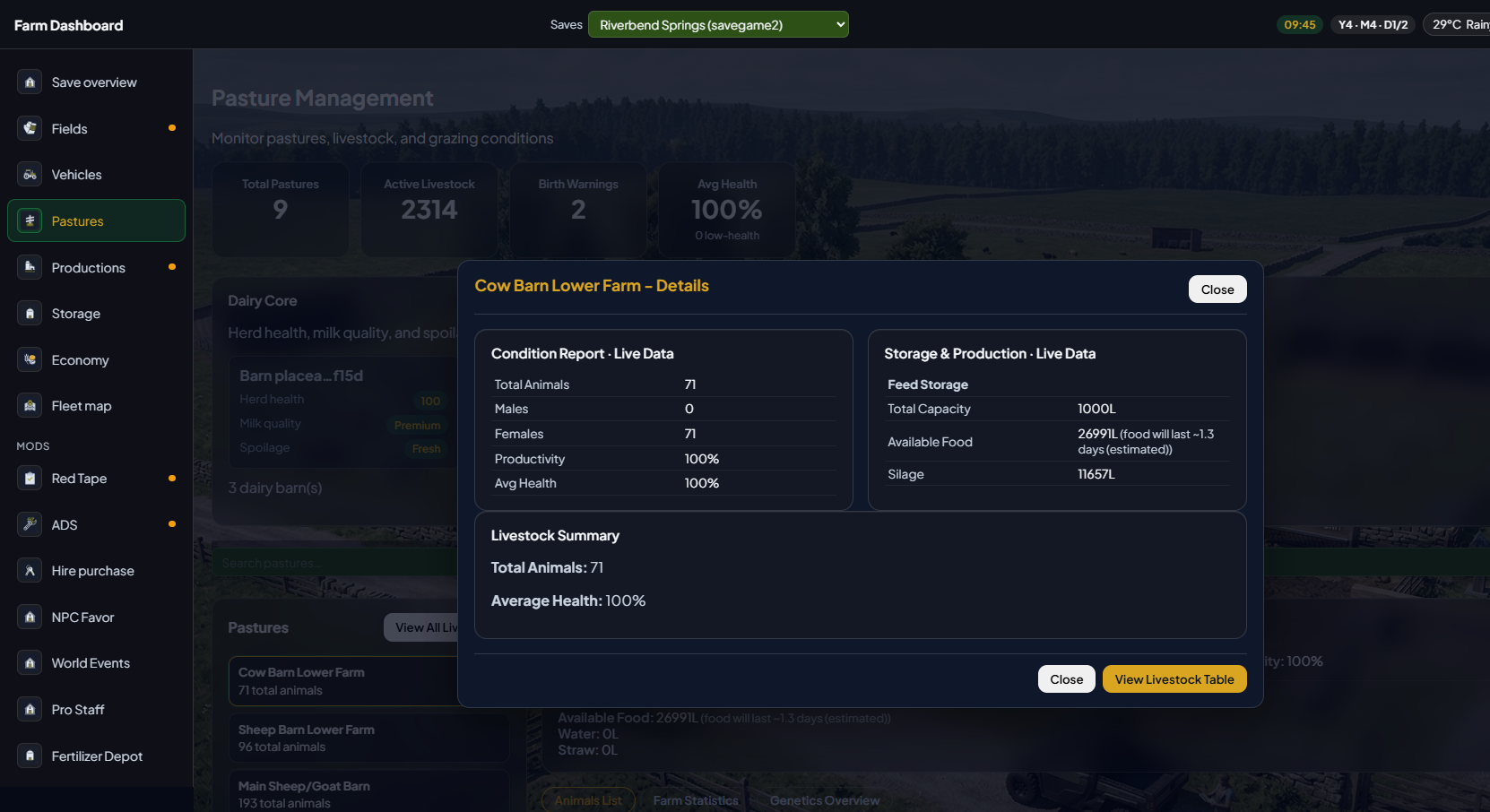
Pen information modal — health, production, and housing without pausing the game.
Pastures
Open Pastures in the sidebar. The list is your barns and grazing units. Select one to see animals in that housing. Optional Dairy Core blocks appear when that mod is present — they are never required.
Detail
Open Details on a pasture to see the pen modal — the 4.2 “view animal / pen” idea, on the new chrome.
Open a barn, then scroll. Per-animal rows show type, age, health, weight, and value — the old Livestock table, on the Pastures screen.
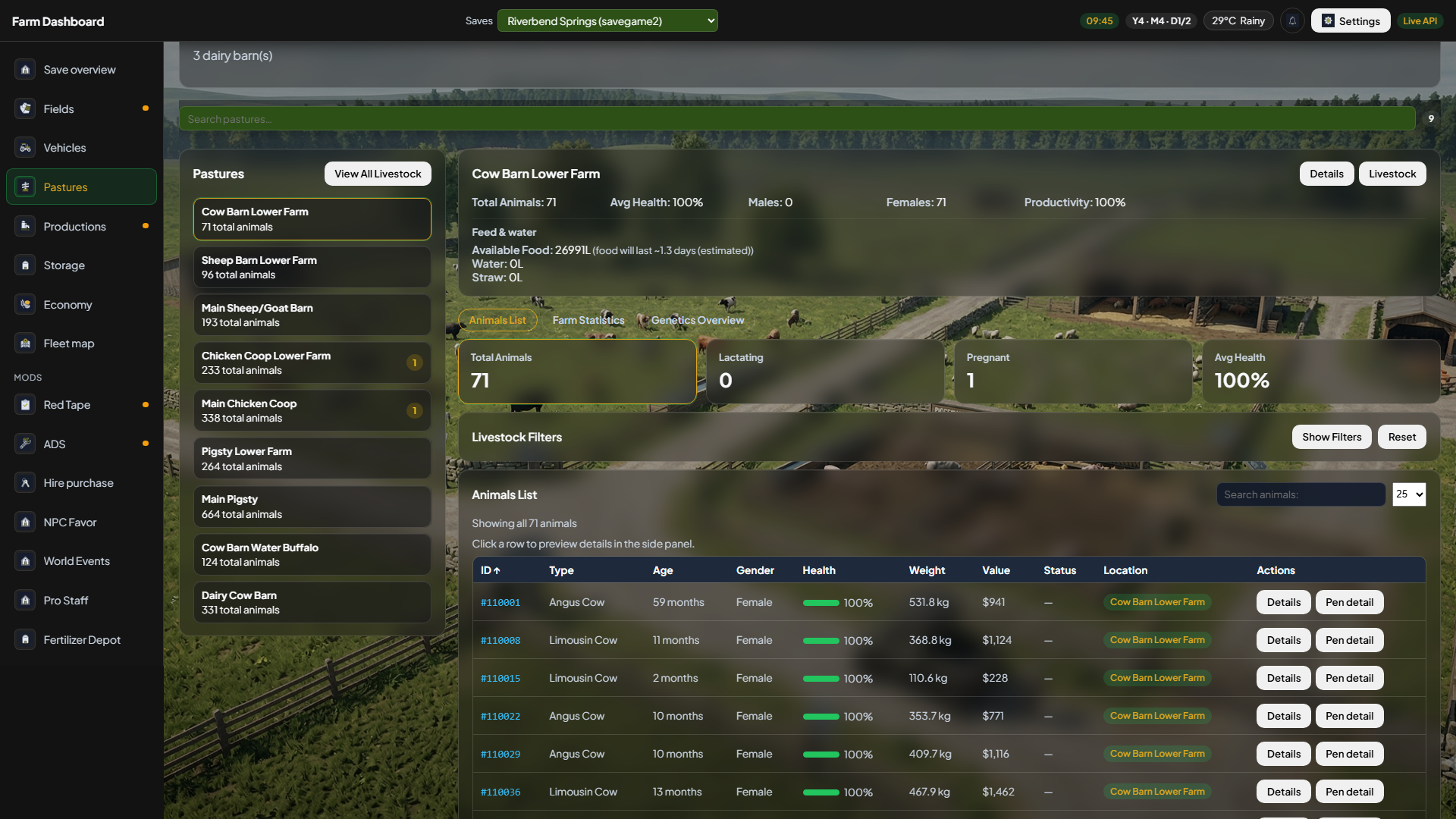
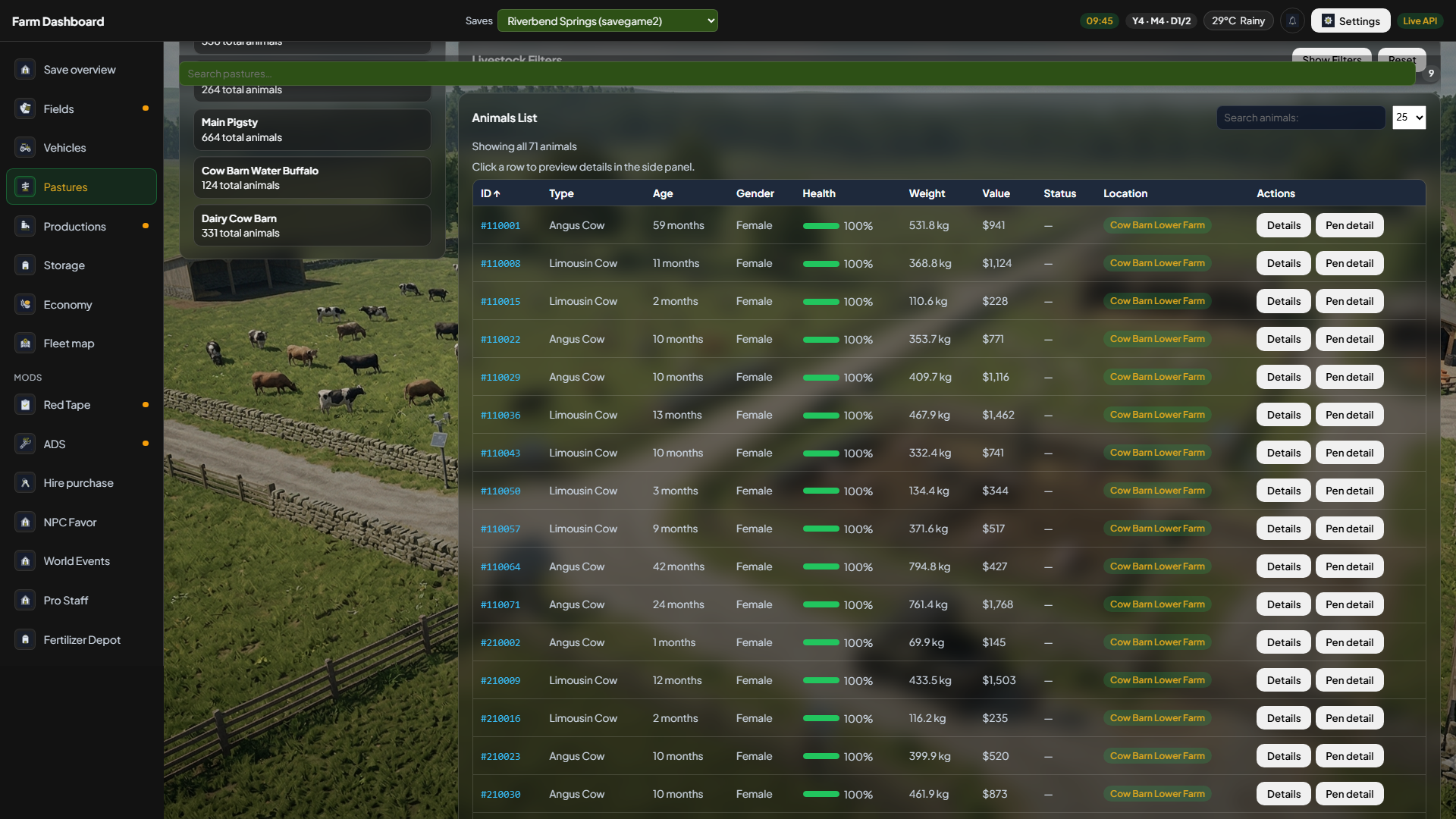
livestock.html stays so old bookmarks work. On V4 the Livestock table was a separate home card — on V5 that work happens here.
Leave the app open on a second monitor or enable LAN for a tablet on the same Wi-Fi.
Install guideExplore other sections